How to Request Partnership Ad Access in Creator Marketing Hub
Request, track and revoke partnership ad permission in Meta’s Creator Marketing Hub, with screenshots of each state and the Whitelisters connect flow.

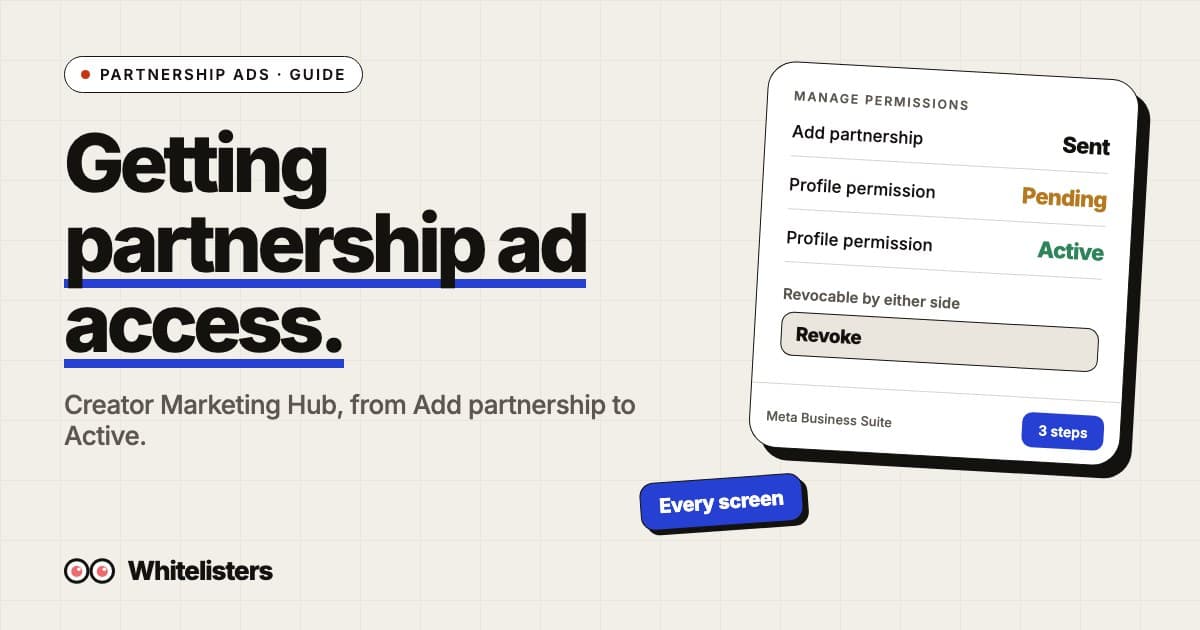
To request partnership ad access, open Meta Business Suite, click Creator Marketing, then Manage permissions and Add partnership. Search the creator’s username, pick the account you want to partner from, review the request and send it. The partner shows as Profile · Pending until they accept and Profile · Active after. Either side can revoke the permission at any time.
Below is every screen in that flow from our own account, plus the Whitelisters connect flow that sends the same request for you. For what the permission covers once you have it, see the complete guide to Meta partnership ads.
What is Creator Marketing Hub?
Creator Marketing Hub is the section of Meta Business Suite where a brand manages its creator relationships. Meta documents the permission steps there. The left navigation has two groups: Creators (Discover creators, View saved creators, Manage permissions, Manage campaigns, Messages) and Content (Browse content, Briefs, Content lists). Partnership ad permission lives under Manage permissions.
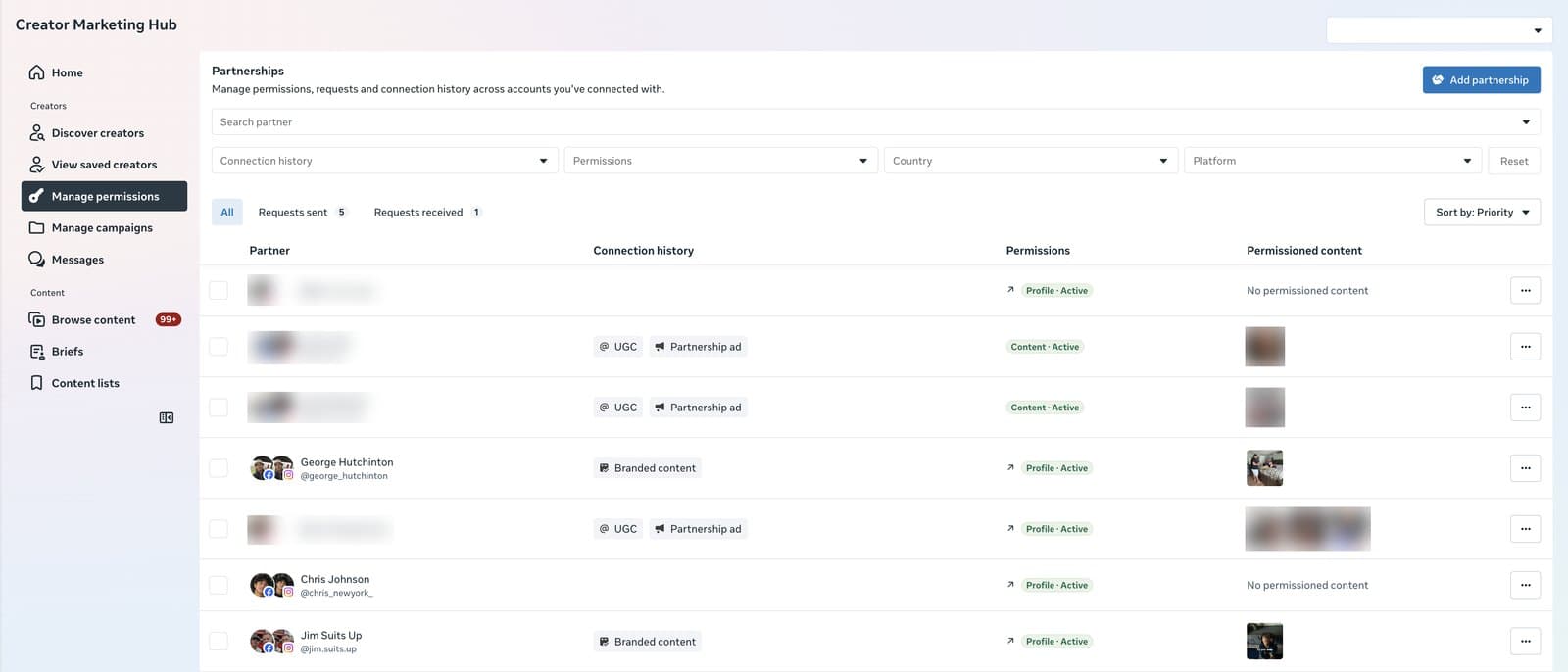
Reading this screen: the account has 5 requests sent and 1 received. Of the 7 partners shown, 4 hold Profile · Active and 2 hold Content · Active, and the Connection history column shows how each relationship started (UGC, Partnership ad or Branded content). The Permissioned content column lists posts the partner has cleared for you to promote.
Which permission are you asking for?
Meta defines two types. Profile permission (account-level) covers the partner’s whole account, so you can create ads from their handle without pre-existing content. Content permission (content-level) covers one post, story or reel. The labels you will see in the hub:
| Label | Meaning | What you can do |
|---|---|---|
| Profile · Pending | Account-level request sent, not yet accepted | Nothing yet. The page does not appear in Ads Manager |
| Profile · Active | Account-level permission granted | Create partnership ads from the handle with your own creative, or promote any of their posts that tag you |
| Content · Active | Content-level permission on specific posts | Promote those posts only |
| No permission | Connected (for example through UGC or branded content) but no ad permission | Nothing. Send a request |
How do you send the request?
- Click Add partnership in the top right of Manage permissions.
- In Select ad partner, search the creator’s username and tick it. You can select more than one.
- Click Done, then Next.
- In Review request, choose the account you want to partner with them from (your Facebook Page or Instagram account).
- Click Send request.
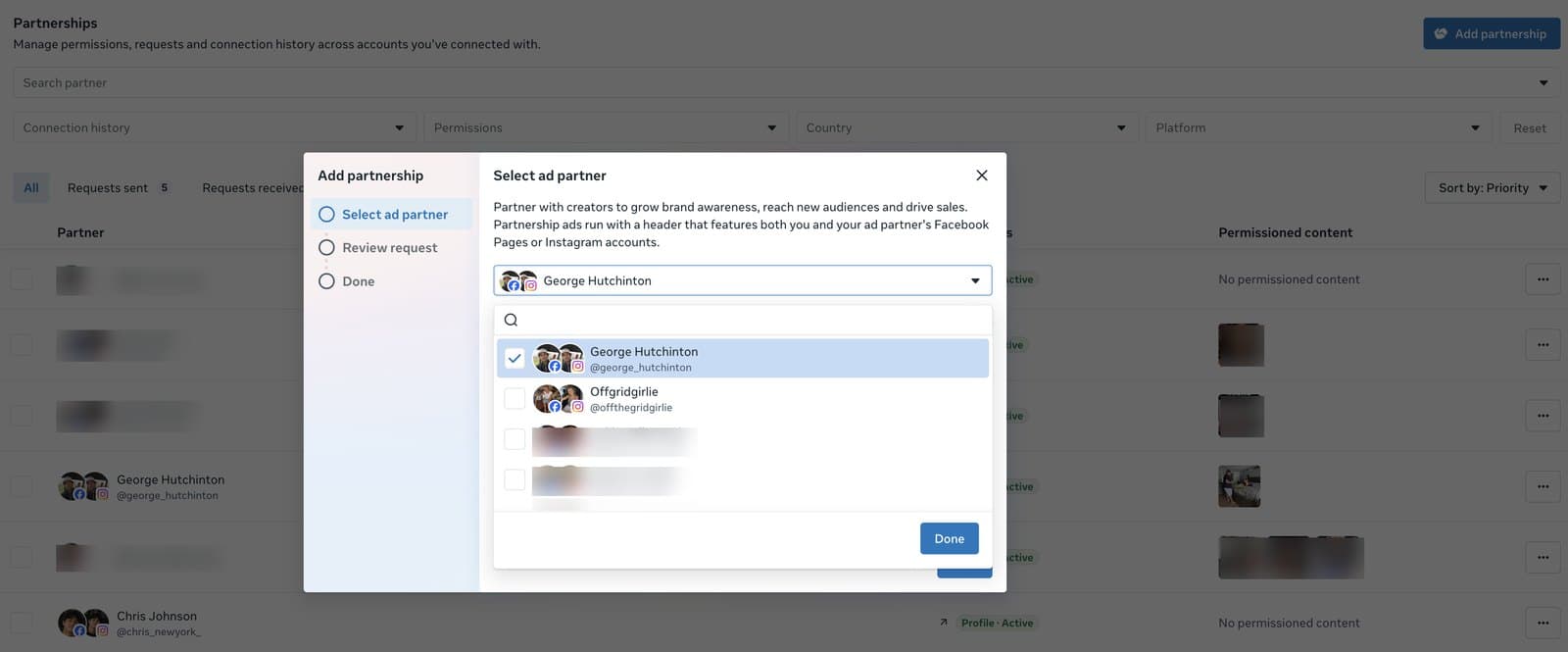
Meta’s copy in the dialog says it plainly: “Partnership ads run with a header that features both you and your ad partner’s Facebook Pages or Instagram accounts.” That header is why the permission exists.
What do the pending and active states look like?
After you send the request, the partner appears in the table with Profile · Pending. The partner is notified and can accept in Creator Marketing Hub, the Instagram app or the Facebook app.

Once accepted, the label turns green and the page becomes available as an identity in Ads Manager.

If the creator’s Instagram and Facebook accounts are linked, Meta notes that accepting gives you account-level permission for both, so the page shows up for Facebook and Instagram placements. If only one platform appears in Ads Manager, the accounts are not linked on the creator’s side.
How do you check or revoke a partner’s permission?
Click a partner row to open the Partner profile panel. It shows the Profile permission with its start date and a Revoke button, the Content permission, the connection history, and the content the partner has posted that includes your brand.
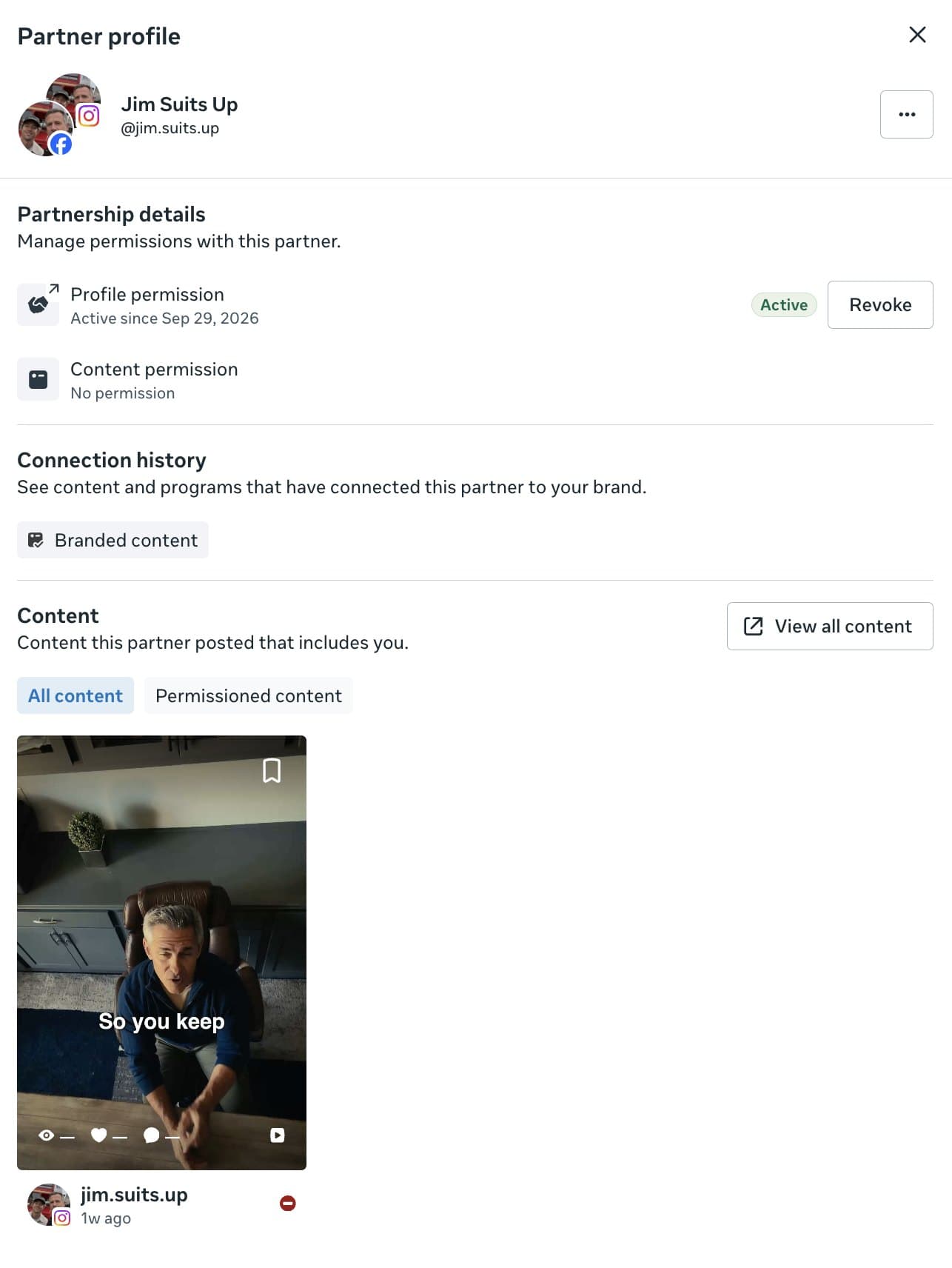
That Revoke button exists on both sides. Meta says partners can revoke permission at any time, which is why a permission you hold today is not an asset you own.
What happens on the creator’s side?
The creator gets a notification and sees the request under their own partnerships. Accepting is one tap in the Instagram or Facebook app or one click in Creator Marketing Hub. Nothing else is required of them: they do not need to share logins, add you to their business portfolio or post anything. After accepting, every ad you run from their handle carries the “Paid partnership with” label with your brand named, so the disclosure is handled by Meta.
How does it work through Whitelisters?
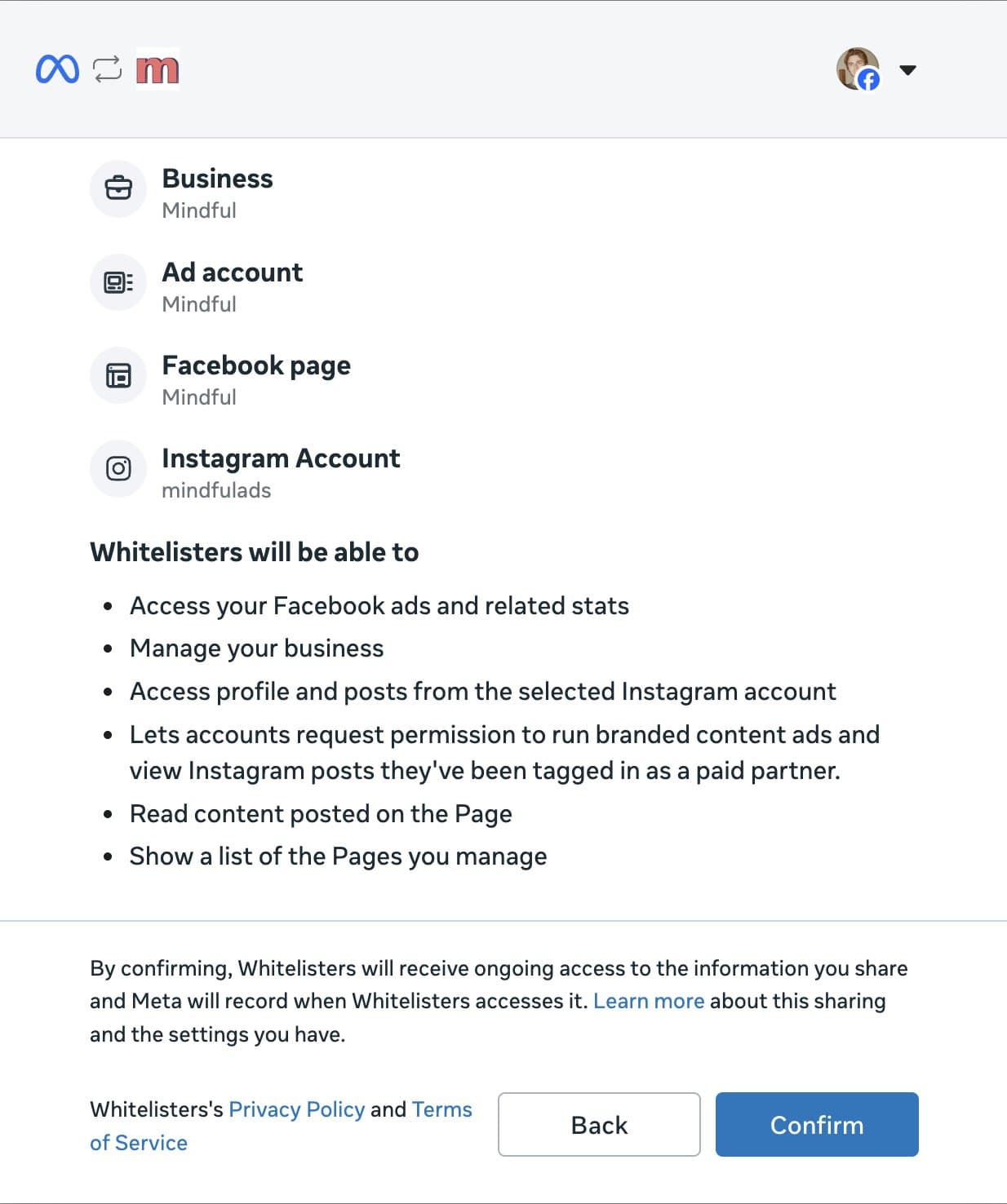
Whitelisters sends the same request for you, for any page on the roster. You connect your Meta business once. Meta shows a standard dialog listing the assets you share: the business portfolio, the Facebook Page, the Instagram account you advertise from and the ad account.
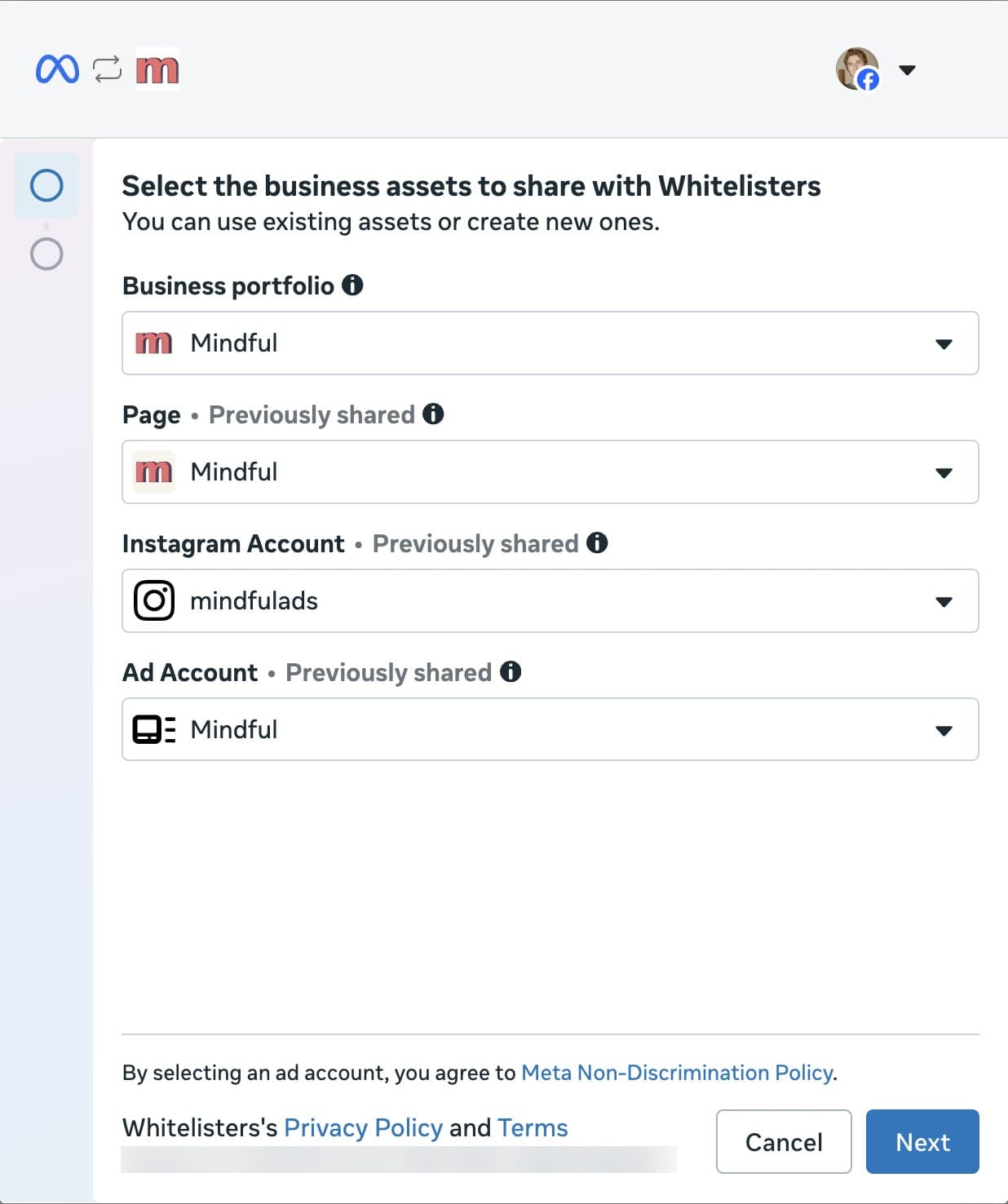
The confirmation step lists exactly what Whitelisters can do with that access. The line that matters for partnership ads is “Lets accounts request permission to run branded content ads and view Instagram posts they’ve been tagged in as a paid partner.” The access is ongoing until you disconnect, and Meta records each time it is used.
From there you pick a creator page in Whitelisters and click request. The request arrives on the creator page as a normal partnership request, is accepted, and the page shows in your Ads Manager identity dropdown with the Ad partnership badge. The next step is building the ad in Ads Manager. One flat price per brand Instagram account covers every page on the roster; details are on the pricing page.
Frequently asked questions
Where do I request partnership ad permission?
In Meta Business Suite: click Creator Marketing in the left navigation, open Manage permissions under Creators, click Add partnership, search the creator’s username, choose the account you want to partner from and send the request.
How long does a partnership ad request take to be accepted?
It depends on the creator. The request stays at Profile · Pending until they accept it in Creator Marketing Hub, the Instagram app or the Facebook app. Meta does not set a time limit.
What is the difference between profile permission and content permission?
Profile permission is account-level: you can create partnership ads from the creator’s handle with your own creative. Content permission is content-level: you can promote specific posts the creator has cleared.
Can a creator revoke partnership ad permission?
Yes. Meta says partners can revoke permission at any time. The brand can also revoke from the Partner profile panel in Creator Marketing Hub.
Why does the creator page only show for Instagram and not Facebook?
The creator’s Instagram and Facebook accounts are not linked. When they are linked, Meta notes that accepting one request grants account-level permission for both.
Does the creator need to give me their login?
No. Partnership ad permission is granted inside Meta. The creator accepts a request and keeps full control of their account.
What does Whitelisters get access to when I connect Meta?
The assets you select in Meta’s sharing dialog: your business portfolio, Facebook Page, the Instagram account you advertise from and the ad account. The confirmation screen lists each capability, including requesting branded content ad permission on your behalf. You can disconnect at any time.

Zachary DiBlasi
Zachary DiBlasi is the founder and CEO of Whitelisters and MindfulAds.com. He has managed over $200m in ad spend for brands including Kalshi, MrBeast, Descript, Framer, Justin Bieber and Runna by Strava.