How to Set Up Partnership Ads in Meta Ads Manager (Step by Step)
Set up a Meta partnership ad in Ads Manager step by step, with real screenshots: permission, the Partnership ad toggle, identities and the live label.

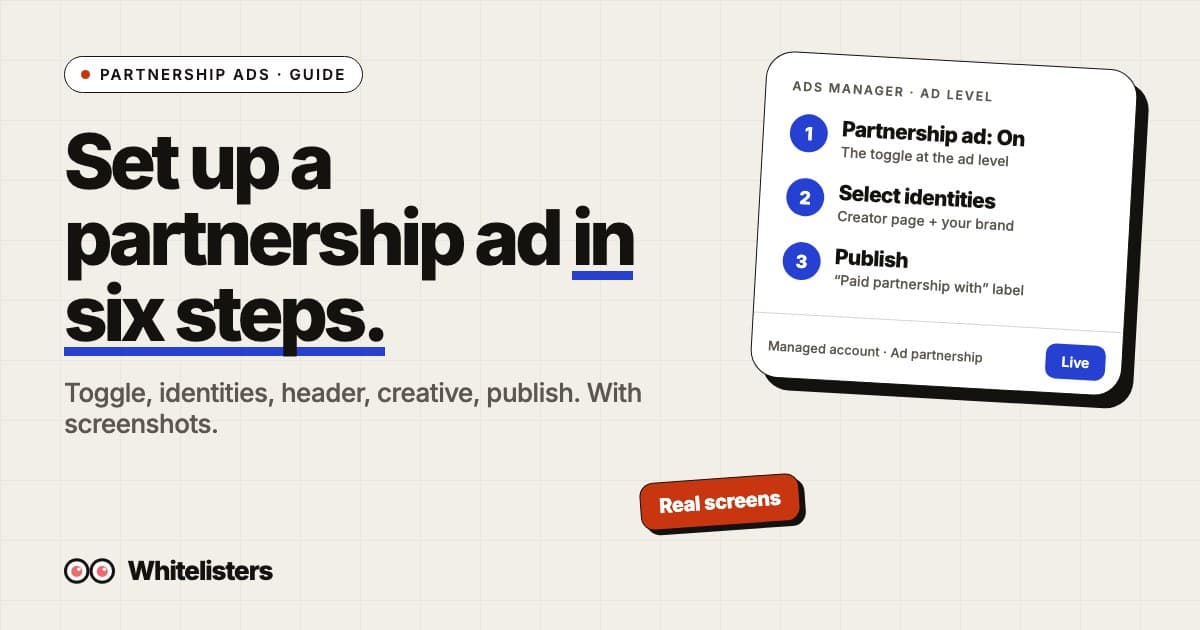
To set up a partnership ad, get permission from the partner whose handle will appear on the ad, create a campaign in Meta Ads Manager, turn on the Partnership ad toggle at the ad level, choose the partner’s Facebook Page and Instagram profile as the identities, pick how the header shows the two accounts, add your creative and publish. Meta reviews it like any other ad.
This walkthrough uses screenshots from our own Ads Manager. For the background on what partnership ads are and the two permission types, read the complete guide to Meta partnership ads first. Every Meta rule below is linked to Meta’s Business Help Center.
What do you need before you start?
- Permission from the partner. Meta requires permission from the partner whose handle the ad includes. Account-level permission lets you create ads from their handle without an ad code. Content-level permission covers one post, usually through an ad code. How to request it is in our Creator Marketing Hub walkthrough.
- Ads access to the advertiser’s ad account, and the Facebook Page and Instagram account you advertise from connected to the same business portfolio.
- The partner’s Instagram and Facebook accounts linked if you want the ad to run on both. Meta notes that when the accounts are linked, accepting a request gives permission for both.
- Creative that follows the Branded Content Policies. Some categories are prohibited, some restricted, and some need written pre-authorization.
Step 1: Create the campaign and ad set as usual
In Ads Manager click Create, choose your objective (for a direct-response test, sales with a website purchase conversion), then set the conversion location, budget, schedule and audience at the ad set level. Nothing about the partnership changes at these two levels. Meta’s setup guide starts the same way.
Step 2: Turn on the Partnership ad toggle at the ad level
At the ad level, in the ad setup section, switch on Partnership ad. If the toggle is missing, the usual cause is that the advertiser has no partner with active permission yet, or you are in an ad account that is not connected to the page that holds the permission. Fix the permission first, then come back.
Step 3: Choose the identities
Click Select identities. The panel asks for a First identity: a Facebook Page and an Instagram profile. These are the accounts the ad will be associated with. The right side shows a live preview of the header with the handle and an “Ad” label.

Open the Facebook Page dropdown and you can search by Page name or ID. Each page carries a badge that tells you how you got access to it:
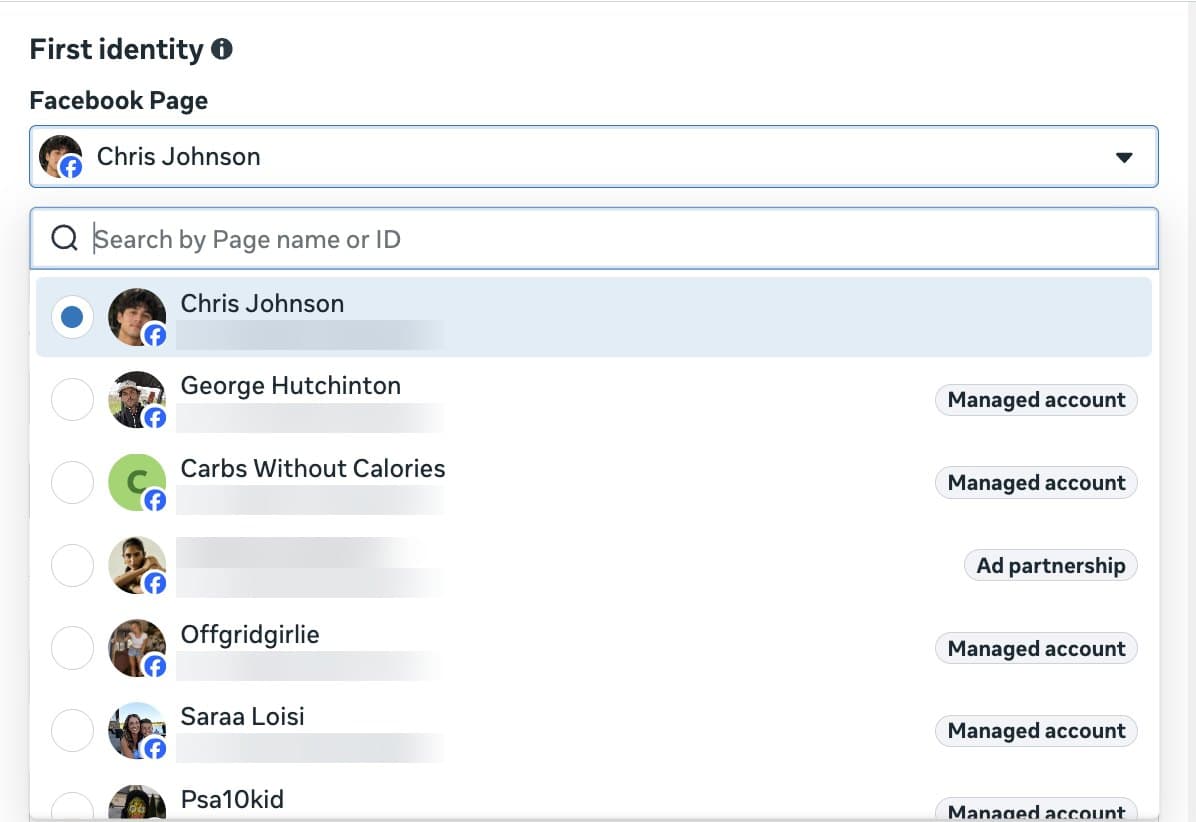
- Managed account: the page is managed inside your own business portfolio.
- Ad partnership: a partner has granted your business partnership ad permission on that page.
Pick the partner page as the first identity when you want the ad to read as the creator’s post. Your own page becomes the second identity.
Step 4: Choose how the header shows the partners
Meta gives three options for the ad header once two identities are set:
| Option | What people see | When to use it |
|---|---|---|
| Both identities | The partner’s handle with your brand named as the paid partner | When the association with the brand is the point of the ad |
| First identity only | Only the first identity’s handle | When you want the ad to read purely as the creator’s content |
| Dynamic identity | Meta picks, per impression, the option predicted to perform best | Default. Use it unless brand rules require a fixed header |
Dynamic identity is on by default. Turn it off only if you need a specific header for every impression.
Step 5: Add the creative, with or without an ad code
- With an ad code or post info: click Enter ad code or post info, paste the partner’s code, post ID or post URL, and the post loads as the creative. This route works with content-level permission.
- Without a code: with account-level permission you can upload new creative or boost one of the partner’s posts that tags you, straight from the identities you chose in step 3.
Whitelisters customers use the second route: you supply the creative, the creator page is the identity. Keep the primary text, headline and link the same as your brand-page version if you plan to compare the two.
Step 6: Publish and check the live ad
Click Publish. The ad goes through Meta’s review and you are notified when it is approved. Once it runs, the header shows the partner’s name with a “Paid partnership with” label and your brand, plus the usual Ad marker. Here is one of ours live on Facebook:
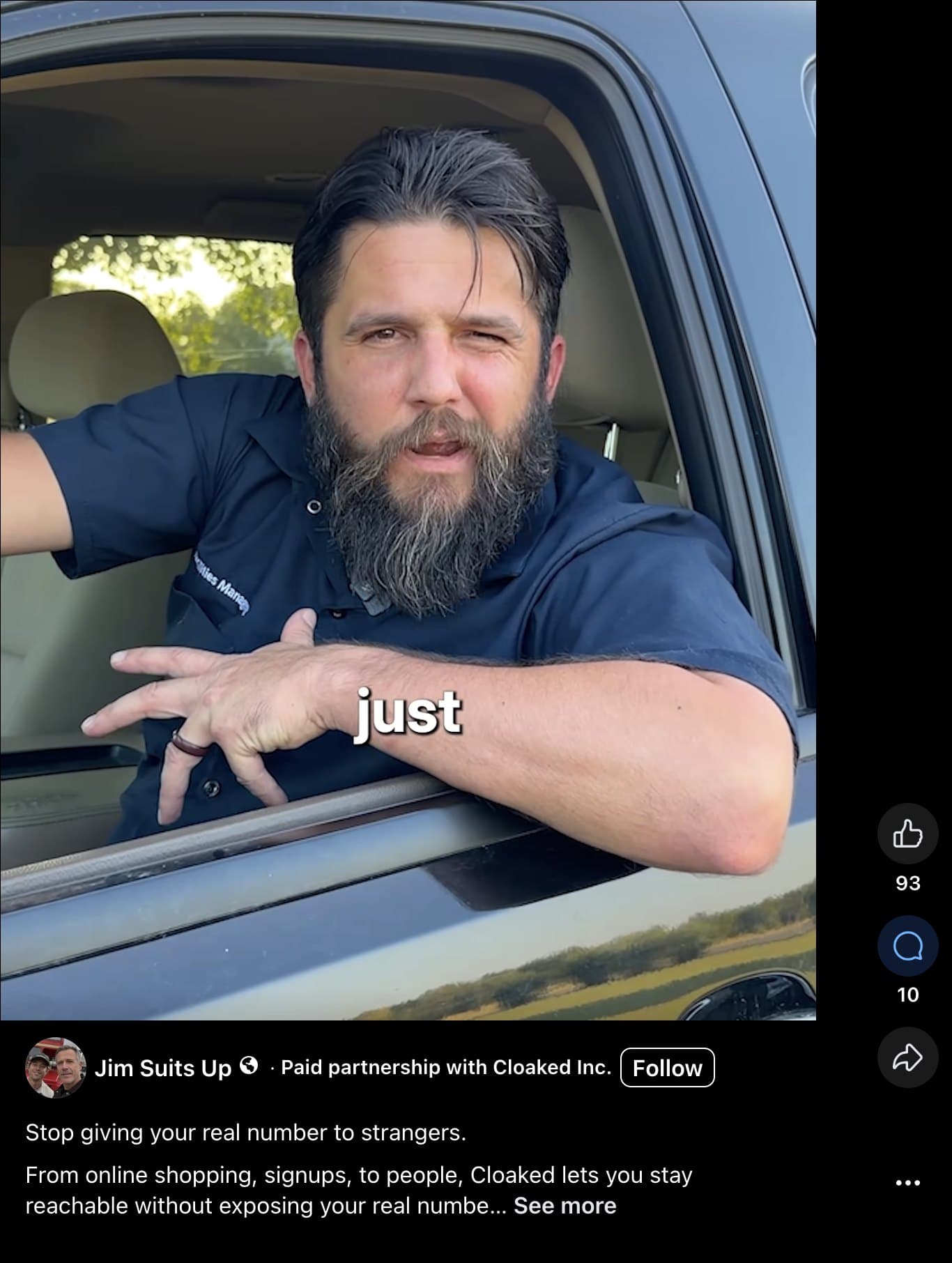
Two things to check on day one. The label names the right brand, and the Follow button points at the creator page, which is what you want: people who follow the page see future posts and ads from it as someone they chose to follow. Meta also notes that you cannot manage likes and comments on a boosted post until the partnership ad is live, so check the comments once delivery starts.
How do you read the first results?
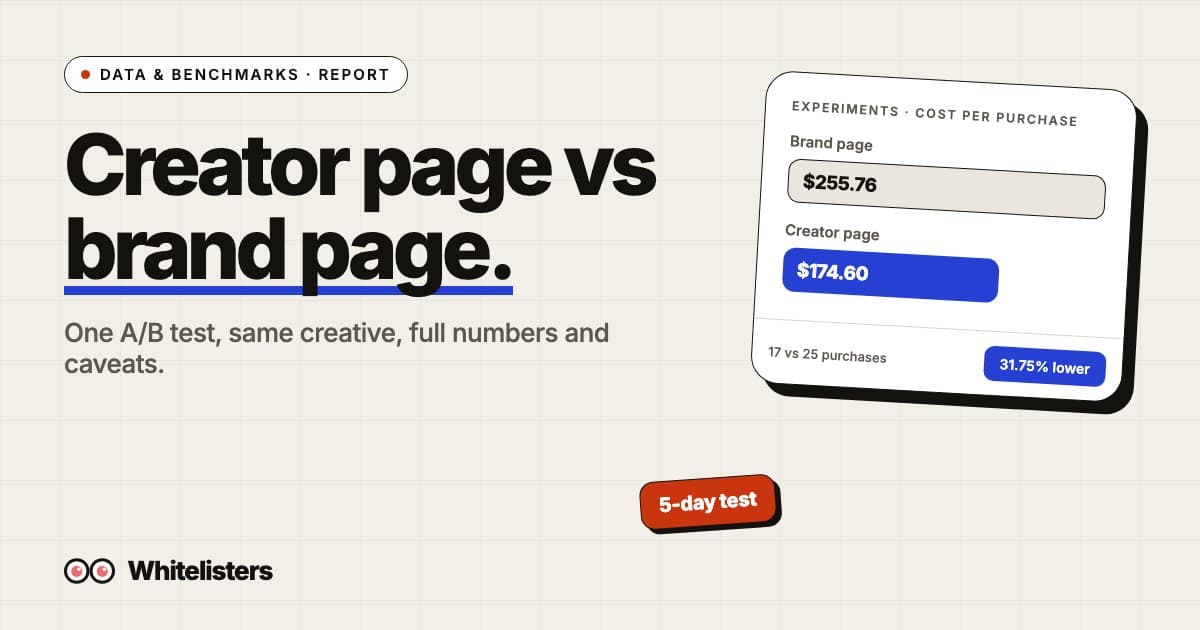
Results show in Ads Manager like any other ad. The number that matters is cost per result for the objective you chose. A worked example from our own test: with identical creative, the brand page ad set delivered 17 website purchases at $255.76 each and the creator page ad set delivered 25 at $174.60 each, so each side spent about $4,350 and the creator page bought 8 more purchases for the same money. The full test, including its limits, is in partnership ads vs brand page ads. One test on one account is not a rule, so run the same split on yours.
What goes wrong most often?
- No Partnership ad toggle. No partner has active permission for the page in this ad account. Check the partner’s status in Creator Marketing Hub.
- The partner page is not in the dropdown. The request is still pending, or the partner accepted on Instagram but their Facebook Page is not linked, so only one platform shows.
- You can boost one post but not upload new creative. You hold content-level permission, not account-level. Ask for account-level.
- Ad rejected. Check the Branded Content Policies first; restricted categories such as alcohol, financial products and weight loss have extra conditions.
- The header shows the wrong brand. The second identity is set to another page you manage. Fix it in the identities panel and republish.
Where Whitelisters fits
Steps 1 to 6 are the same whether the partner is a creator you contracted or a page from the Whitelisters roster. What changes is the permission step: instead of asking each creator, you connect your Meta business in Whitelisters, pick the Instagram account you advertise from and request any roster page. Whitelisters sends the partnership request through Meta, and when it is accepted the page appears in your identity dropdown with the Ad partnership badge. One flat price per brand Instagram account covers every page; see the pricing page.
Frequently asked questions
Where is the Partnership ad toggle in Ads Manager?
At the ad level, in the ad setup section, after you have set the campaign objective and the ad set. It appears once a partner has active partnership ad permission with the advertiser.
Do I need an ad code to run a partnership ad?
Not with account-level permission. An ad code gives content-level permission to boost one specific post. With account-level permission you choose the partner as an identity and upload new creative.
What does the Ad partnership badge mean in the Page dropdown?
That a partner granted your business partnership ad permission on that page. Managed account means the page is managed inside your own business portfolio.
Which header option should I pick?
Dynamic identity is on by default and lets Meta choose, per impression, between both identities and the first identity only. Fix the header only when brand rules require it.
Can I run the same partnership ad on Facebook and Instagram?
Yes, when the partner’s Facebook Page and Instagram account are linked and both were covered by the permission. Choose both as identities in the Select identities panel.
Why was my partnership ad rejected?
Partnership ads follow Meta’s Branded Content Policies as well as the Advertising Standards. Some categories are prohibited, some are restricted, and a few need written pre-authorization from Meta.
Can I edit the creative after the ad is live?
You can edit the ad as you would any other, which sends it back for review. Likes and comments on a boosted post can only be managed once the partnership ad is live.

Zachary DiBlasi
Zachary DiBlasi is the founder and CEO of Whitelisters and MindfulAds.com. He has managed over $200m in ad spend for brands including Kalshi, MrBeast, Descript, Framer, Justin Bieber and Runna by Strava.